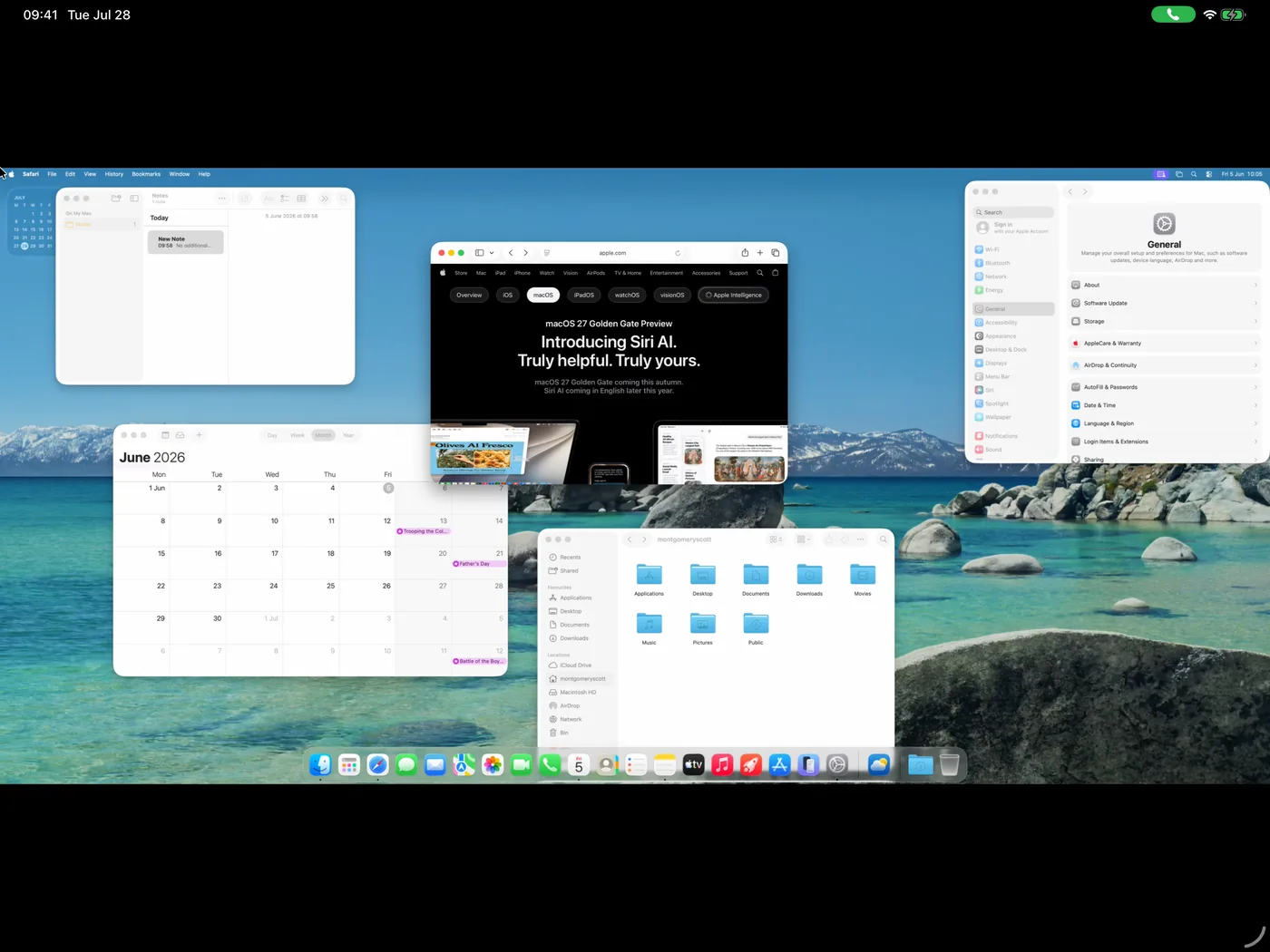
Screen mirroring
Your whole desktop squeezed to fit, with everything too small to touch.
Beam lifts a single window off your Mac and lands it on your iPad, your laptop, or any browser, where it looks, moves, and feels like an app that belongs there.
Screen sharing hands you your entire Mac, shrunk into a rectangle: tiny menus, a distant Dock, black bars everywhere. Beam sends just the app you actually want, and lets it live on the new screen as a full citizen.
Your whole desktop squeezed to fit, with everything too small to touch.
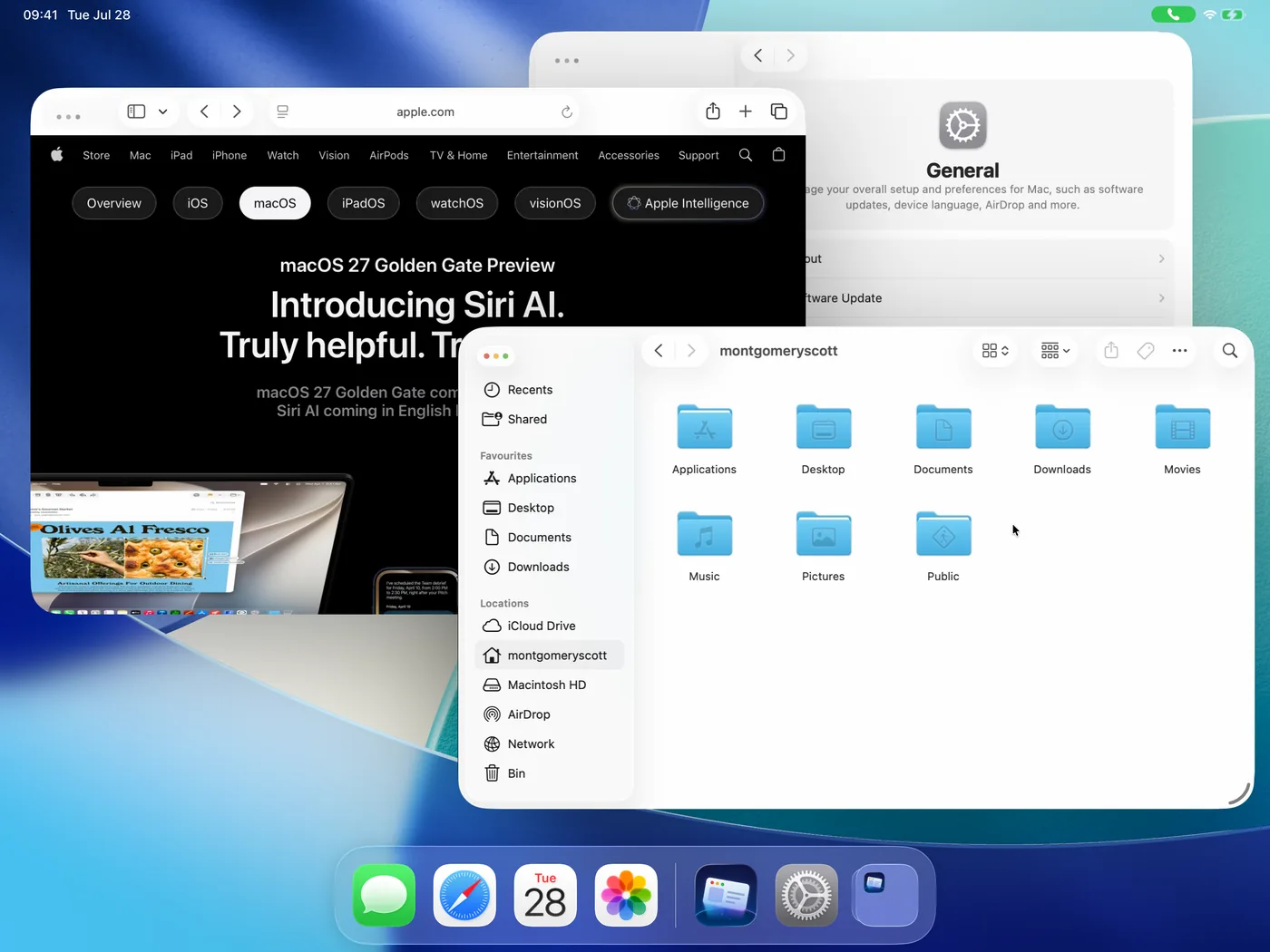
Individual apps, filling your screen exactly, at the size and sharpness this device was built for.
That's the bar. Every detail of Beam exists to make you forget the app is running somewhere else.
Every beamed app opens as its own window on your device. Put your Mac's terminal next to your iPad's notes in Split View, arrange it in Stage Manager, drag it to another display. Mac work joins your workflow instead of replacing it.
Drag the corner and the Mac window follows your lead, with every pixel drawn for this exact screen. No scaling blur, no black bars, and text that stays readable all day.
Hold ⌘ and the Mac app's actual menu bar appears: File, Edit, View, shortcuts and all. The app's full power stays within reach, without steering a remote cursor through menus drawn at half size.
While a window is beamed, it vanishes from the Mac entirely. Someone at the Mac can keep working, and nothing they do can cover or disturb your stream. Close it, and the window returns to the exact spot it left.
When the connection is good, everything feels local and instant. When it isn't, Beam rides out Wi-Fi blips and app switches, reconnects on its own, and your window is waiting exactly where you left it.
Hardware keyboards with all your Mac shortcuts: ⌘S, ⌘⇧P, the lot. Trackpads click and drag like the real thing, and touch is tuned so a fingertip can drive a Mac comfortably. Your muscle memory comes with you.
Print panels and confirmation sheets appear as real iPad panels sized for touch, not squinty remote windows. Tap Cancel and it closes instantly, with the Mac following through behind the scenes.
Drop a photo from Files straight into the Mac app. Drag a file out of the Mac and it lands on a shelf on your device. No more AirDropping files to yourself.
Remote screens usually turn typing into raw keystrokes and typos. On Beam, the on-screen keyboard is simply your keyboard: autocorrect, emoji, and every language work like in any other app, even though the app lives on your Mac.
Beam connects your devices to your Mac directly. There is no middleman to trust, because there is no middleman.
Xcode on the couch. A terminal on your Linux laptop. Your dashboard on the kitchen iPad. One Mac, every screen in the house.
Step 2
New in 0.3: the Mac agent updates itself, and you can check for updates from your iPad or iPhone. See what’s new
Beam is free for personal use. No subscription, no trial, no pro version. If it’s become part of how you work, buy me a coffee on Ko-fi. That’s how this stays free and keeps getting better.
Using Beam at work, or want to build on it? Email [email protected] for a commercial license.